Настройки
Выберите клиентскую программу:
Zoiper
X-Lite 4.0
PortGo
|
Шаг 1
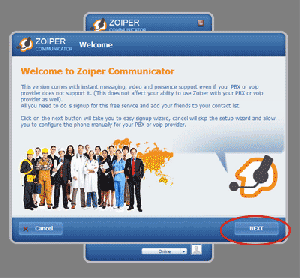
Скачиваем. После установки Zoiper, находим Ярлык программы в меню Пуск - Все программы и запускаем. В окне, нажимаем на кнопку Next
Шаг 2
В следующем окне Вам предлагается выполнить тестирование Вашей звуковой системы, после чего необходимо нажать клавишу Ок.
Шаг 3
Далее, Вам необходимо ввести данные Вашего PCTEL аккаунта, где в поле
"Please enter hostname or IP" необходимо указать sip.pctel.ru
"Please enter your username" необходимо указать Ваше имя пользователя в PCTEL (не номер 200....)
"Please enter your password" необходимо указать Ваш пароль для имени пользователя в PCTEL.
По завершению ввода нажмите Next
|



Очень выгодные тарифы
Подтверждение E-MAIL
Проверка E-MAIL на уникальность PCTEL
Внимание! Изменение настроек!
Уважаемые пользователи! Пожалуйста, измените настройки Ваших телефонов! Вместо SIP.PCTEL.RU надо прописать:
217.198.162.30







)
)
)


